
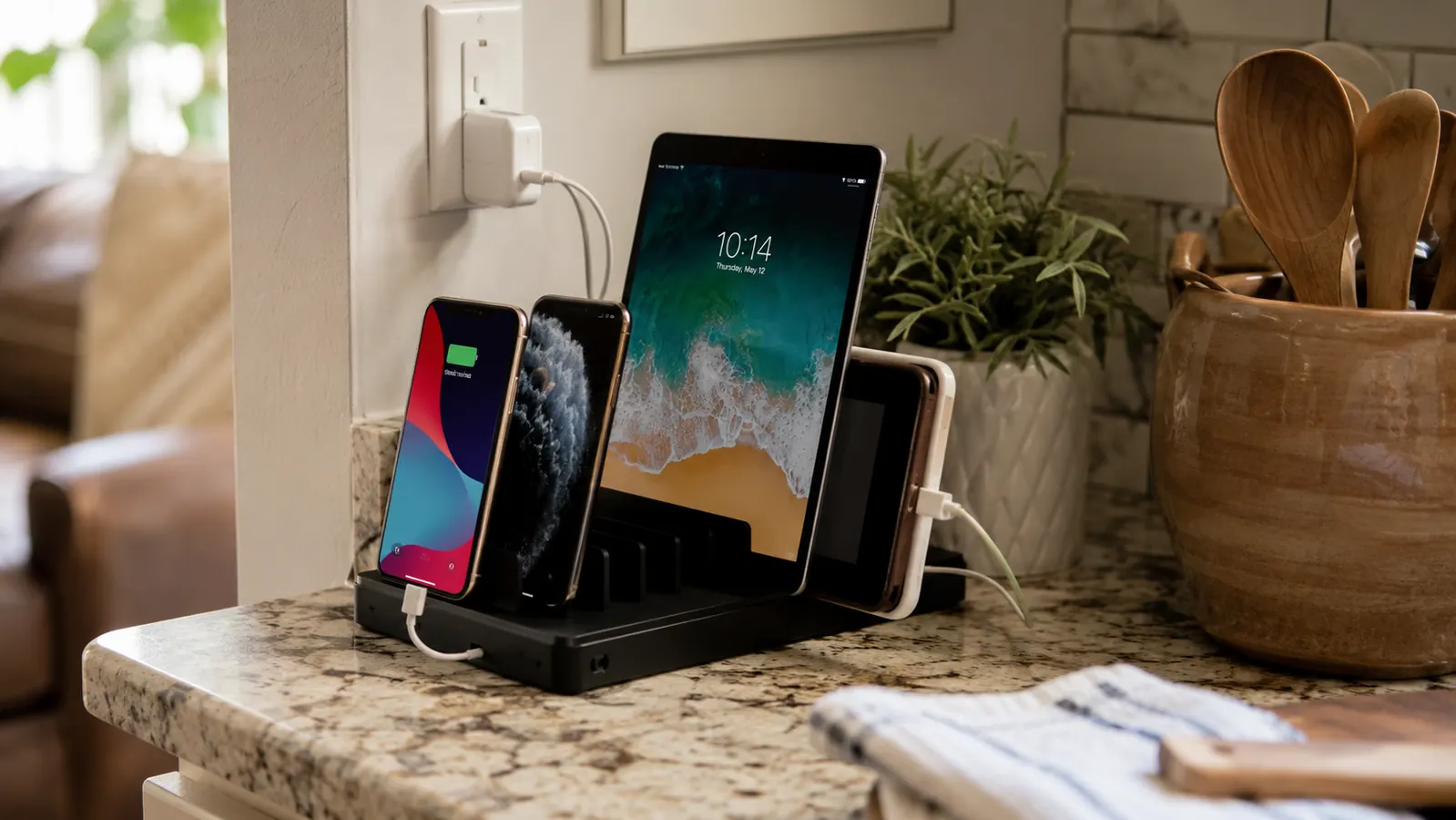
Between my husband Tom, our daughter Lily, our son Ben, and me, we had five phones, one Kindle, and an iPad Mini all needing power every single day, and exactly two outlets in the kitchen to handle it. For years that meant a rotating cast of wall chargers hiding behind the toaster, disappearing into backpacks, and turning up dead on a nightstand nobody remembered plugging in. Someone was always missing a bus or a meeting because their phone sat at four percent overnight. The fix wasn't complicated once I actually sat down and planned it out. I set up a Hercules Tuff 6-port charging station on our kitchen counter one Sunday afternoon, and it took about twenty minutes to end an argument we'd been having for years about whose charger was whose.
This is the exact process I used, step by step, from figuring out how many devices your family is actually charging to getting everyone into the habit of using the station every single night without being reminded. You don't need an electrician, a smart home app, or a drawer full of spare chargers. You need one station, one outlet, and about half an hour on a weekend afternoon. By the end of this, you'll have a plan you can start today and finish before dinner.
Before we get into the steps, here's the station that made this whole project possible in one Sunday afternoon.
The Hercules Tuff 6-port charging dock gives every phone, tablet, and e-reader in the house its own dedicated slot, all running off one outlet. It's rated 4.4 stars across more than 12,500 reviews, and it's the exact dock sitting on our counter right now.
Amazon Check Today's Price on Amazon →Step 1: Count Every Device That Actually Needs a Spot
Before you buy anything, walk through your house the way I did and count what's actually competing for outlets every night. In our case that was Tom's work phone, my phone, Lily's phone, Ben's Kindle, and the iPad Mini the kids share for homework. Five devices, most nights, sometimes six if a friend was sleeping over with her own phone in tow. Write the list down. It's easy to underestimate this when devices are scattered across three rooms and you never see them all charging at once, which is exactly how we ended up with chargers in the kitchen, both kids' bedrooms, and our own nightstand at the same time.
While you're making that list, note what kind of charging cable each device actually needs. Ours split three ways, Lightning for the iPhones, USB-C for Ben's Kindle, and an older micro USB tip for a hand-me-down tablet Lily used before her upgrade. If your family's devices are a similar mix, you'll want a station that comes with more than one cable type built in, not one that assumes everyone owns the same phone.
Add a slot or two of buffer to whatever number you land on. My in-laws visit most weekends and always ask where they can plug in, and Lily's friends show up with dead phones often enough that I was glad we sized up instead of buying the bare minimum. A six-slot station covering five daily devices left us exactly one spare, which turned out to be the right call within the first month.
Step 2: Pick a Station With Enough Slots and the Right Cables
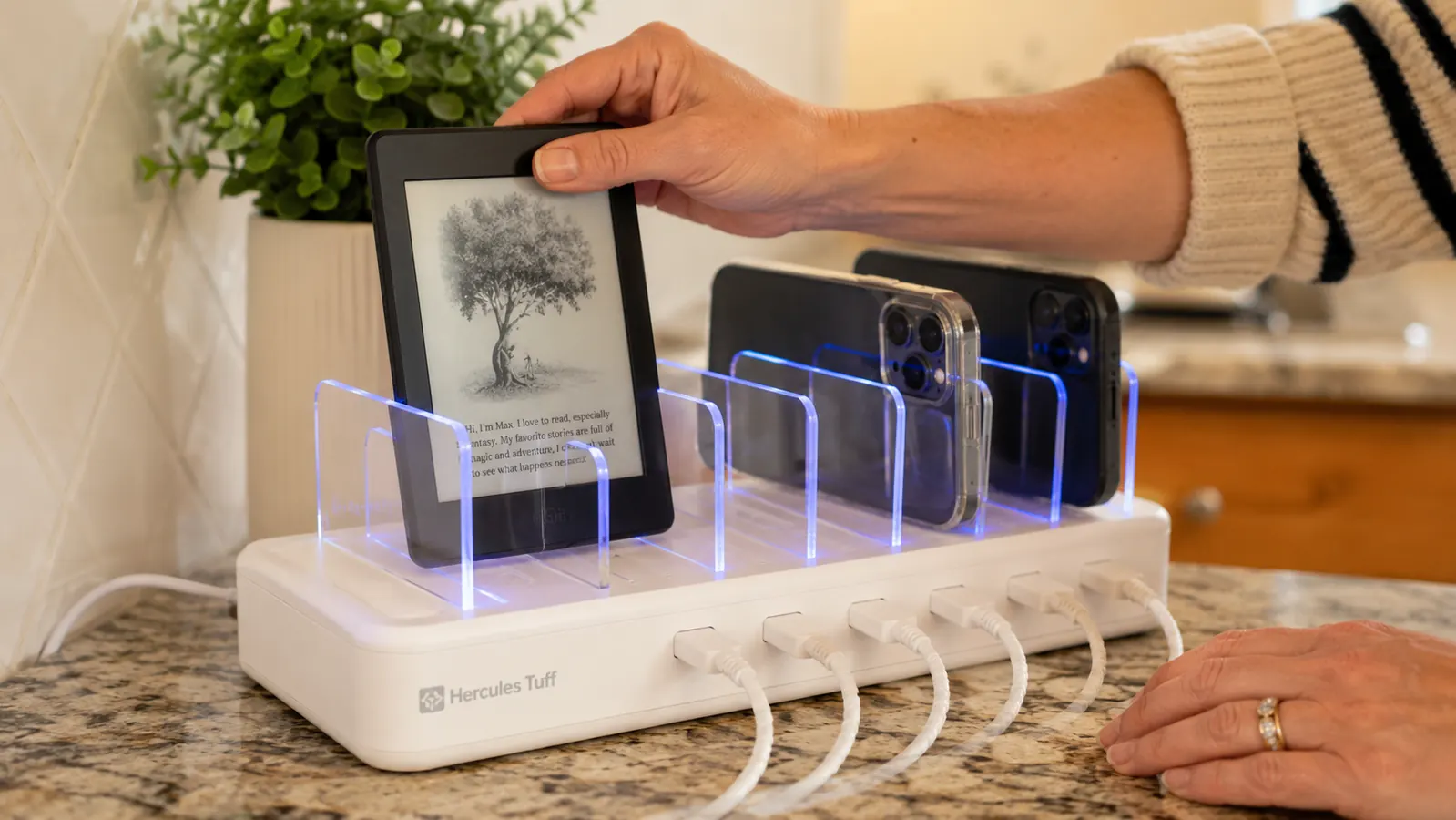
Once you know your number, match it to an actual station instead of grabbing whatever's cheapest at the store. I picked the Hercules Tuff 6-port dock specifically because it ships with a mix of Lightning, USB-C, and micro USB cable tips already attached, which meant I didn't have to raid a junk drawer to cover everyone's phone on day one. If your family is all iPhones, a simpler Lightning-only station might do the job, but most households I know are a mix, and a mixed-cable dock saves you from buying adapters later.
Size matters here too, and not just the number of slots. The dock I bought has a footprint close to a small toaster, which fit into the empty corner of our counter without swallowing our prep space. If your counter real estate is tight, measure that corner before you order anything. A station that looks compact in a product photo can still be wider than you expect once it's sitting next to your coffee maker.
Look for a station with individually replaceable cables if you can find one. Kids yank cords out by the wire instead of the plug, and after about four months one of Ben's connectors started to fray at the tip. Because the cables on ours pop out and swap in separately, I replaced just that one cord instead of needing a whole new dock. That single feature has already saved me one purchase since we set this up, and it's the detail I'd tell any friend to check for before they buy.
Step 3: Set Up the Station in the Right Spot
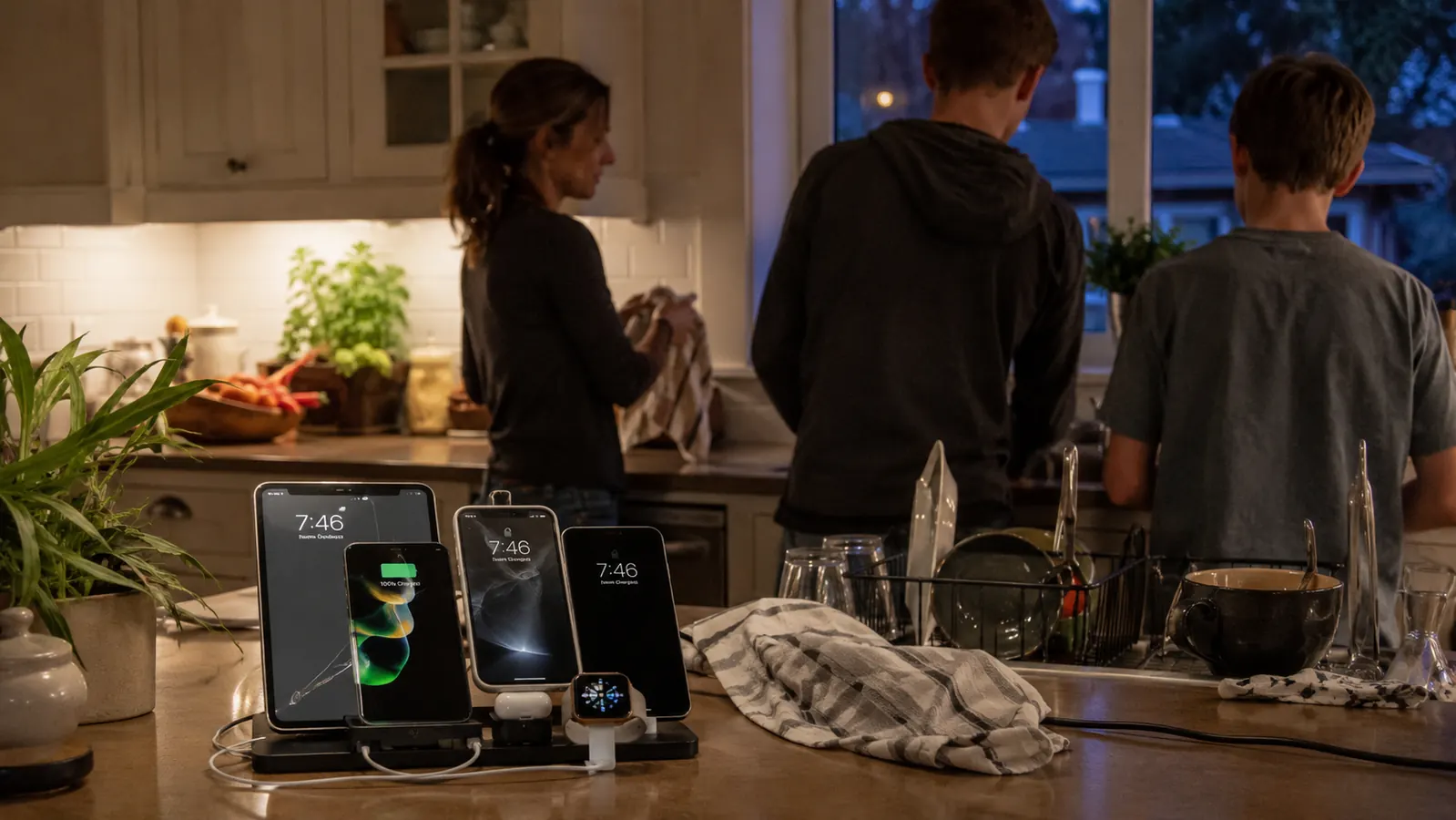
Location matters more than people expect. We put ours on the kitchen counter next to the coffee maker, on the one outlet that wasn't already claimed by the toaster. It's close enough to the front door that everyone passes it on the way out, but far enough from the sink that a splash from washing dishes isn't going to land on it. If your family's real landing zone is an entryway table or a mudroom shelf instead of the kitchen, put the station there. The goal is a spot people already walk past every day, not a spot that looks tidy in theory.
Setup itself took me about fifteen minutes, most of which was untangling the cords that came zip-tied together in the box. I plugged the single power cord into the wall, ran each of the six device cables through the little channel on the back of the dock to keep them from flopping loose, and stood everything up in its slot. There's no app, no pairing, no manual worth reading past the first page. You plug it in and it works.
Before you call it done, actually test every slot with a real device rather than assuming they all work. I plugged Tom's phone into each of the six ports one at a time and watched the charging icon confirm it was pulling power before I trusted the setup with an actual dead phone overnight. It took maybe five extra minutes and it meant nobody woke up to a phone that hadn't charged because a port was faulty.
One more thing worth doing while you're back there: check that the outlet you're using isn't already overloaded with other appliances on the same circuit. Ours shares a line with the microwave, and I've never had an issue running both at once, but if your kitchen circuit already trips occasionally, it's worth testing the station alone for a day or two before you fully trust it with five people's phones charging overnight.
Step 4: Give Everyone in the Family Their Own Slot
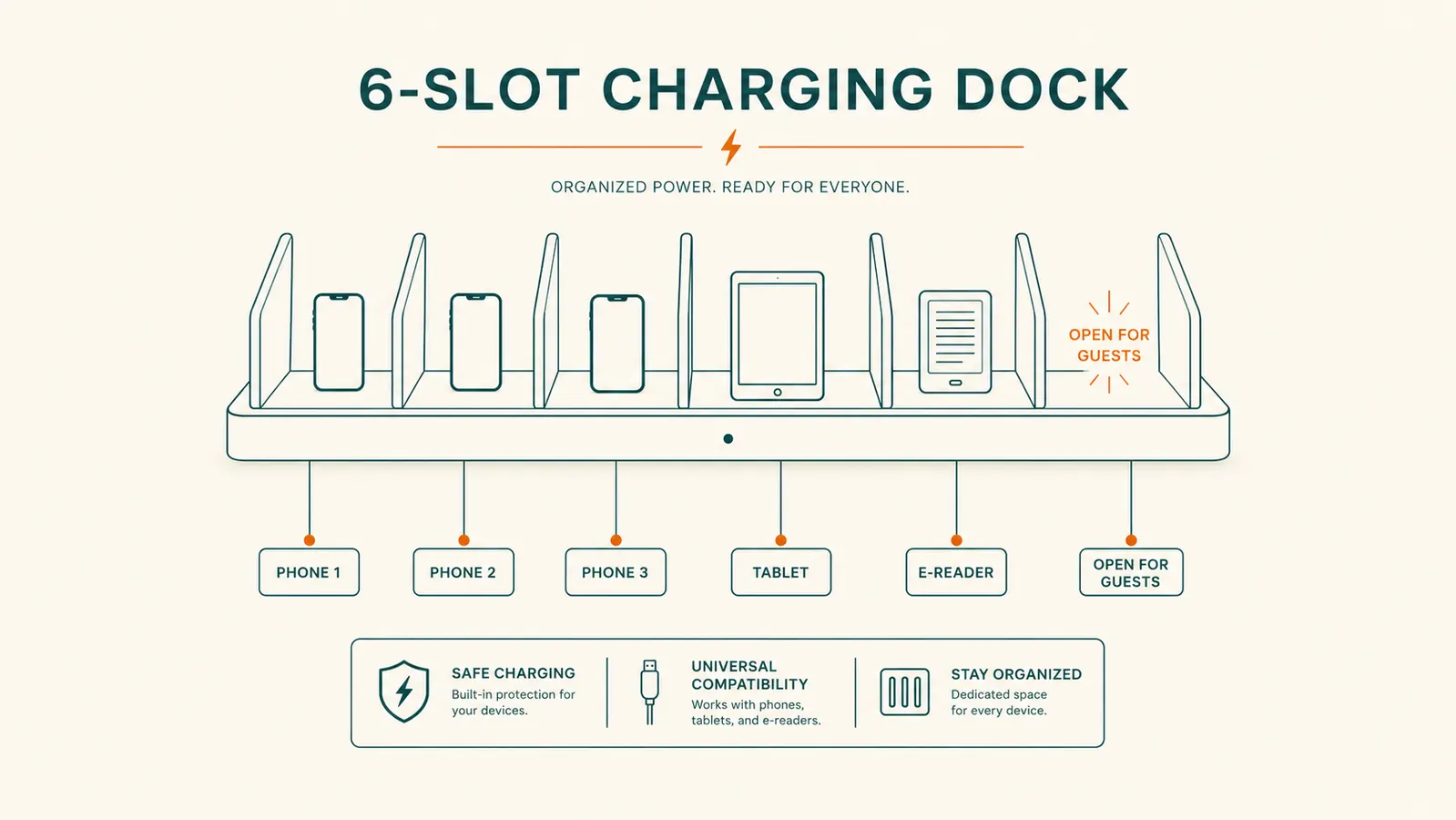
This is the step that actually ends the arguments, and it's the one people skip. Assign a slot to each person by habit, not by rule written on a chart. I told Tom to always use the far left slot, Lily got the one next to it, Ben's Kindle lives third from the left, and my phone takes the fourth. It sounds almost too simple, but once everyone has a slot they think of as theirs, nobody grabs someone else's cable out of habit anymore.
If you've got younger kids who need a visual reminder, a strip of painter's tape with a name written under each slot works fine for the first couple of weeks. I didn't end up needing it past day four, but it's a low-effort way to build the habit if your family needs a nudge. Take it off once everyone's found their groove, the slots don't need to stay labeled forever.
Leave at least one slot open on purpose. Ours is the unofficial guest spot, and it gets used almost every weekend, whether it's my mother-in-law's phone or one of Lily's friends who shows up at four percent battery. Having an obviously open slot means guests don't end up unplugging a family member's phone to make room for their own, which used to happen constantly with our old setup of scattered wall chargers.
Step 5: Build the Evening Docking Habit
A charging station only solves the problem if people actually use it, so tie it to something your family already does every night. In our house, phones get docked right when we clear the dinner table, the same way plates go in the sink. It became automatic within about two weeks because I attached it to a routine that already existed instead of asking everyone to remember a brand new habit out of nowhere.
Expect a short adjustment period. Ben kept forgetting his Kindle for the first several days, mostly because it wasn't a phone and didn't feel as urgent to plug in. I started physically carrying it to the dock myself for about a week until it clicked. If your family's used to chargers scattered in every bedroom, give it two weeks before you judge whether the new system is working. Old habits don't break on day one, even with an obvious upgrade sitting right there on the counter.
The payoff shows up at breakfast, not at bedtime. Mornings changed the most in our house. Everyone grabs a fully charged phone off the counter on the way out instead of hunting through a backpack or a nightstand for whatever charger isn't currently missing. That's really the whole point of this project, not a tidier counter for its own sake, but mornings that don't start with somebody yelling that they can't find a charger.
What Else Helps
A good charging station handles the daily rotation, but a couple of small habits keep it running smoothly. Every month or so, I do a quick check of all six cords for fraying near the connector, since that's where kids' cables wear out first from being yanked instead of unplugged gently. If a cable is on its way out, swap it before it fails completely rather than waiting until someone's phone won't charge overnight. I also wipe the dock down when I'm cleaning the counter, since dust builds up in the slots faster than you'd think in a kitchen.
If your family adds a new device down the road, a new phone for a kid who's outgrown a hand-me-down, or a smartwatch that needs its own charger, just claim the open guest slot and swap the cable tip if needed. The system keeps working exactly the same way it did on day one, it just absorbs whatever your family adds to it. A basic power strip with a surge protector under the station is also worth considering if your kitchen has had electrical hiccups before, it's cheap insurance for a spot that's running five or six devices every single night without a break.
Nobody in this house asks where their charger went anymore. It's not that the charger got harder to lose. It's that it stopped having anywhere else to be.
Ready to give every phone, tablet, and Kindle in your house one spot to land?
The Hercules Tuff 6-port charging dock is the exact station I set up on our counter, one outlet, six slots, mixed cables for whatever your family actually owns. Check today's price and see if it fits your kitchen corner.
Amazon Check Today's Price on Amazon →